
A garage diary that can’t be overbooked
Every phone and website booking lands in your diary with the job, the car and a drop-off window. You set the limits, and AutoLens sticks to them.

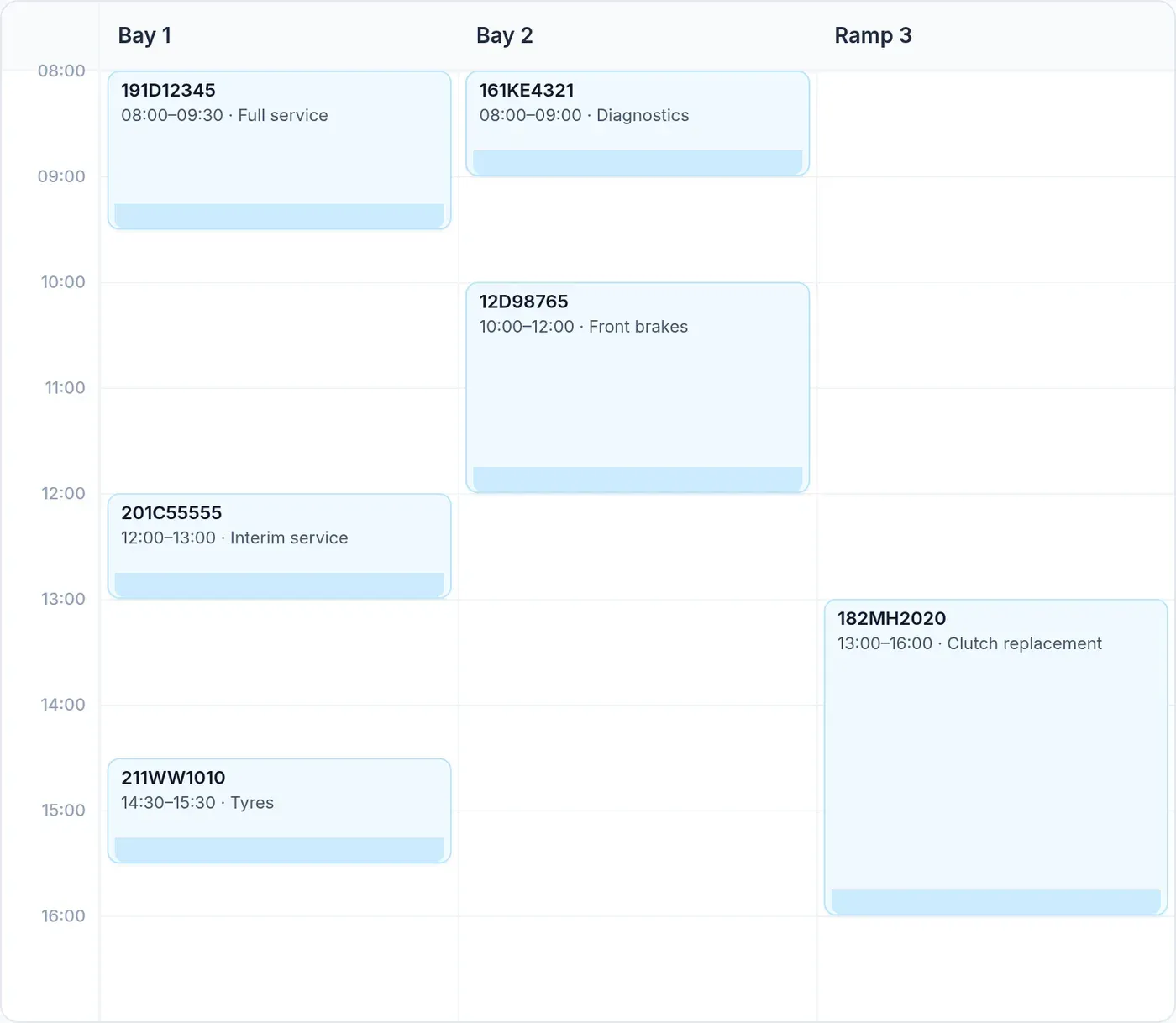
Morning and afternoon drop-off
Customers are given a drop-off window rather than an exact slot: for example, between eight and half nine in the morning, or between twelve and one. That’s how most workshops actually run their day.
Services can be kept to the morning. Closed days and bank holidays are blocked out. Entries you type into the calendar yourself are left as they are.
Daily limits per job
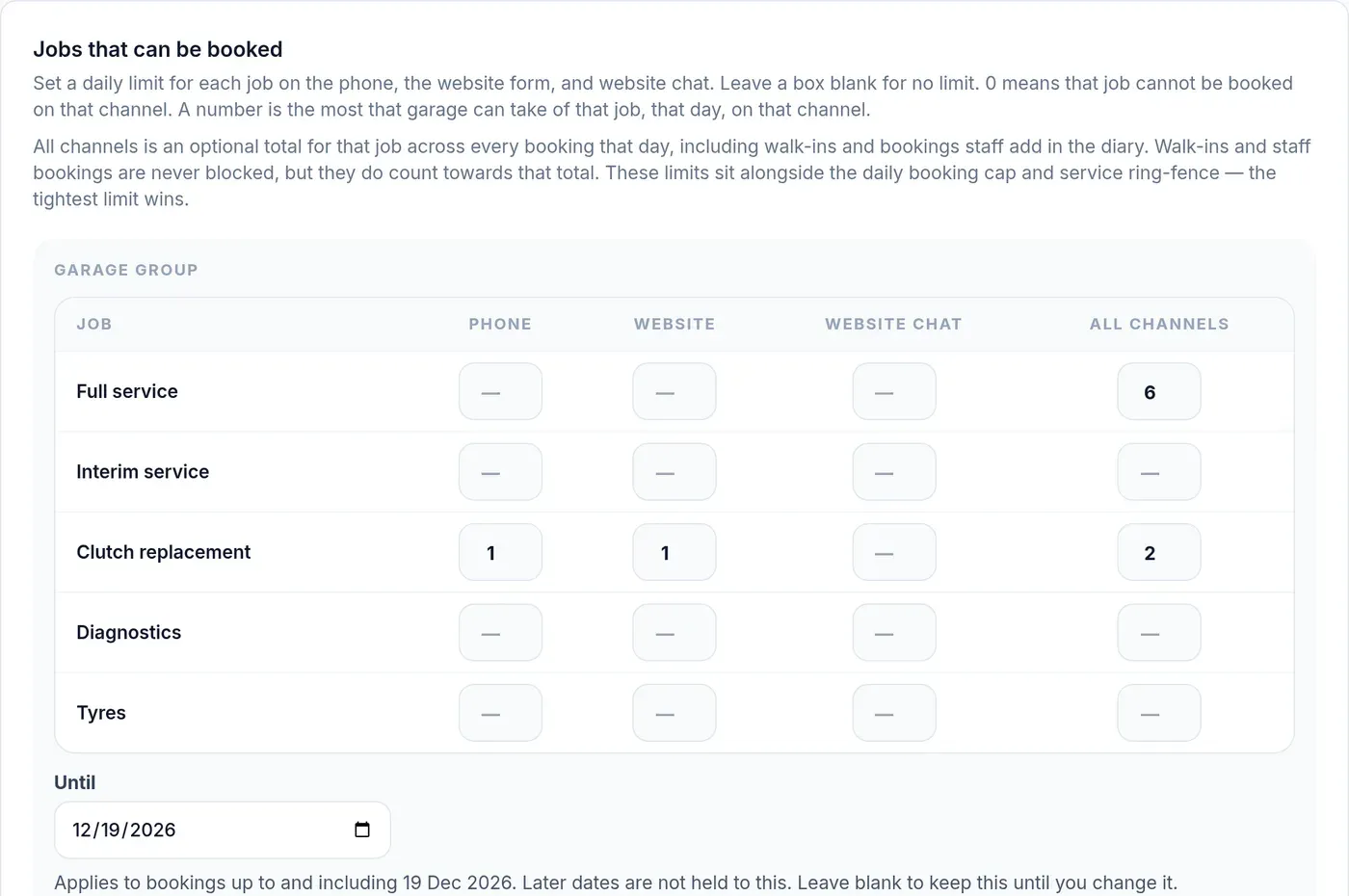
Set the most of each job you’ll take in a day, separately for the phone, the website and website chat, with an optional total across all of them. Leave a box blank for no limit. Put in 0 to stop that job being booked there.
Behind a bit? Set a limit with an Until date. On that date it lifts and bookings go back to normal, without you having to remember.
Minimum notice
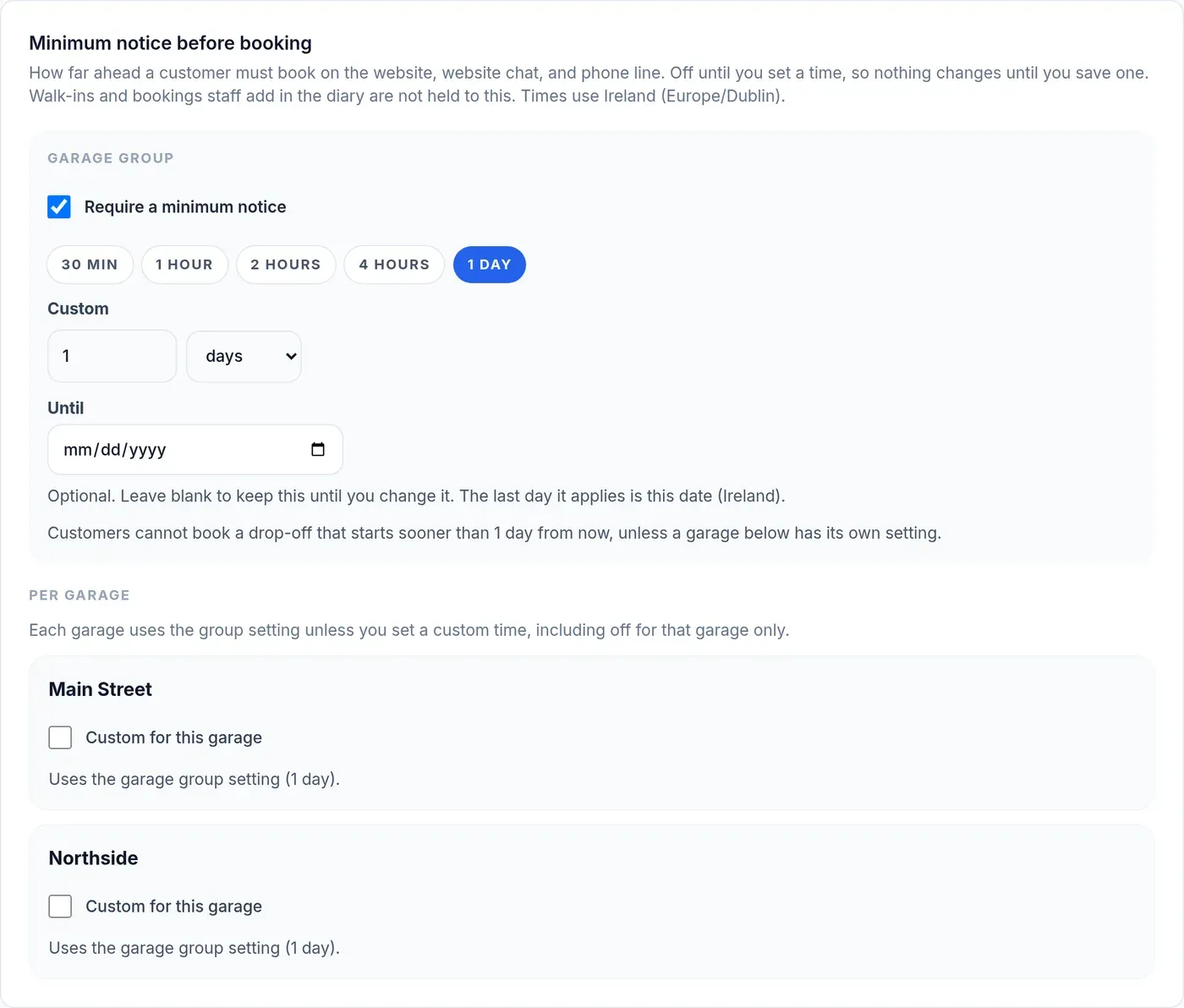
Stop same-day surprises. Set how much notice you need before a booking, for the whole group or one branch.
What isn’t blocked
Walk-ins and bookings your staff add in the diary always go through. They still count towards the all-channels total, so the day stays honest.
When limits overlap
The tightest one wins. A daily booking cap, a limit on one job, and room kept back for services all apply together.
See it take a booking for your garage
A short demo, set up with your own jobs and opening hours. No obligation.